Magic Links - Creating Contacts and Readonly fields
-
Ability to create contacts (v1.20)
This update lets the user create contacts on the "User Contact Updates" and the "Sub-Assigned" magic links.
Enable the feature
From the "links" scheduler:
On the Sub-Assigned template:
Read only fields (v1.19)
On magic link templates, make some fields as "readonly". This will display the field on the magic link, but keep the field from being edited.
Configuring
In action
Questions or comments? Join the forum: https://community.disciple.tools/category/9/magic-links-plugin
-
C Corsac referenced this topic on
-
This post is deleted! -
@Corsac I just installed the update here. Great thinking! I added a new contact through the magic link, but it didn't automatically assign the new contact to me, so it isn't showing up in my available contacts to update in the magic link. I am using the link created in the "Your Apps" section under my profile.
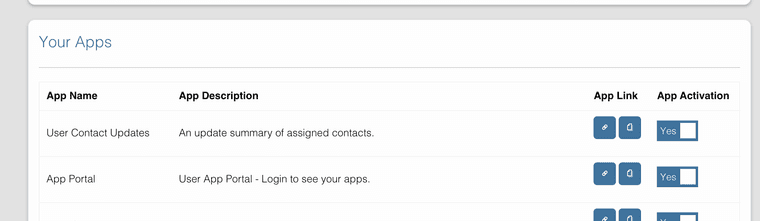
I checked in the contacts main page and it shows up there with all of the updates that I initially made. Below is a screen shot of the contact I created through the magic link. Followed by the missing contact in my magic link.
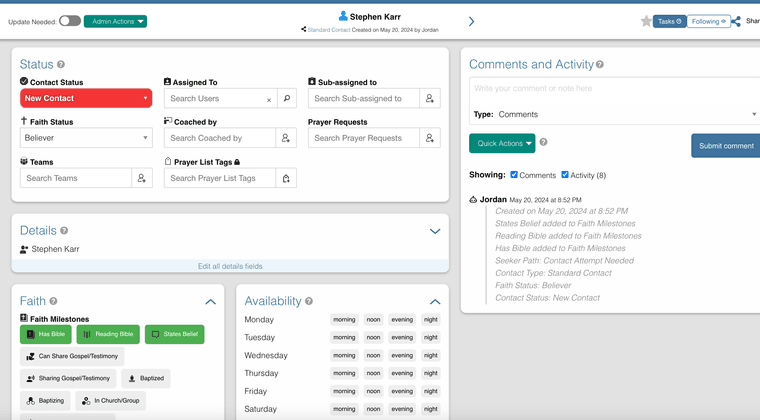
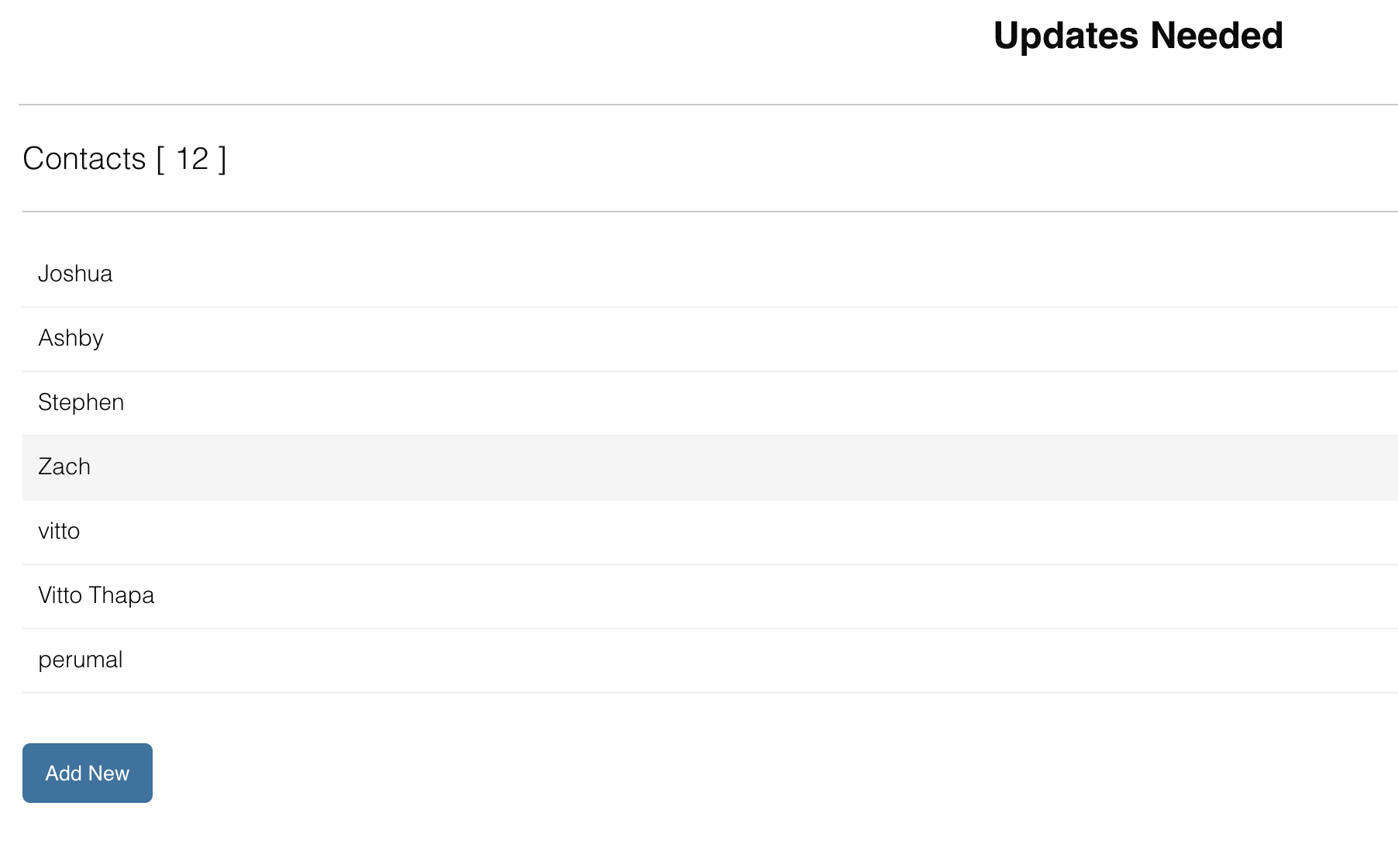
I was thinking that once I added a new contact I would immediately see my 12 contacts "grow" to 13 where I could go back in and immediately update it further if need be. Thoughts?
-
Seems like the instance I installed it on had something else blocking that feature. It is working fine on another instance! Great feature addition!

Hello! It looks like you're interested in this conversation, but you don't have an account yet.
Getting fed up of having to scroll through the same posts each visit? When you register for an account, you'll always come back to exactly where you were before, and choose to be notified of new replies (either via email, or push notification). You'll also be able to save bookmarks and upvote posts to show your appreciation to other community members.
With your input, this post could be even better 💗
Register Login