Best Practice to Adding Groups for a Coallition
-
Hey friends, I have a question about Magic Links. We want to create a link for our Coalition so people can report their groups. We have not created users for everyone, and those who have a user always forget their credentials. So Magic Links could help us a lot. I wonder what the best practices are to share a Magic Link with a group of 30 people so they can add new groups. We have a few fields selected, like: name, the type of group, start date, star date as a church, end date, member count, leader count, parent group, peer group, child group, address (I guess this will help to find it on the metrcis map?), and comment (hopefully they will add here the name of the leader, and will give us an idea of who need users)
Any suggestions or ideas?
Thanks. -
@gaboayala - Good to hear from you.
Within the Magic Link Plugin, we have the concept of Link Objects; which enable you to create Magic Links to address different requirements.
In your case, you will need to create a Link Object; which uses the
User Group UpdatesMagic Link Type. Ensure theSupport creating new itemsoption is enabled.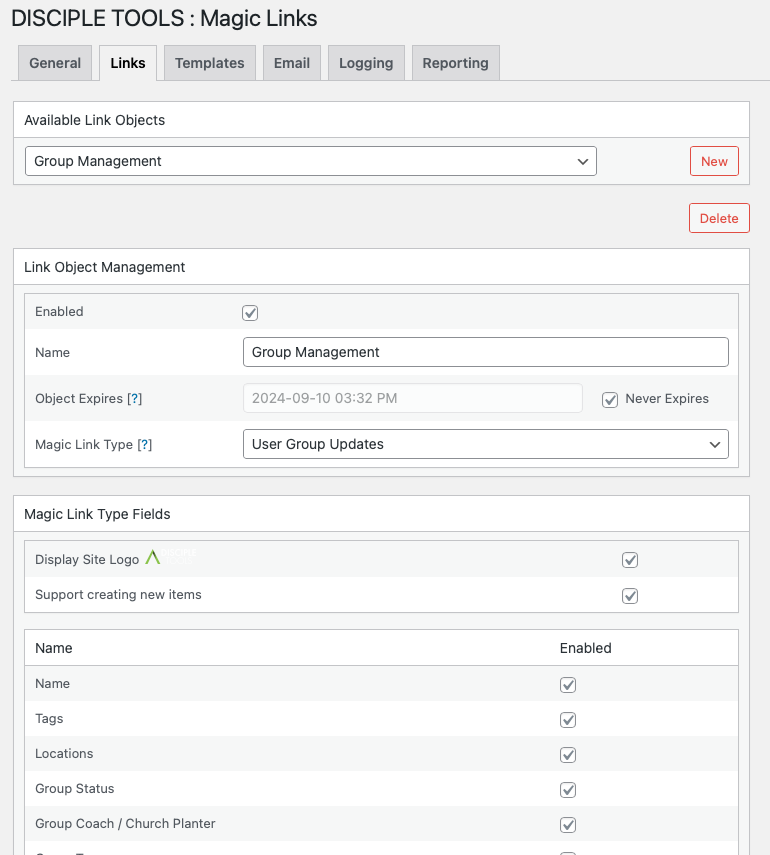
From there, you will then need to assign the various users within your coalition, to the Link Object.
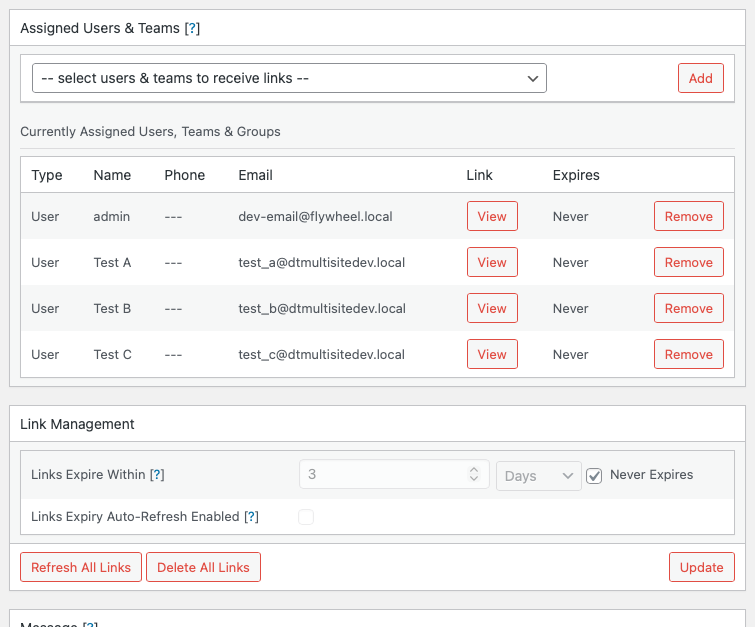
To manage the refreshing and sending out of Magic Links, see the Scheduling Documentation.
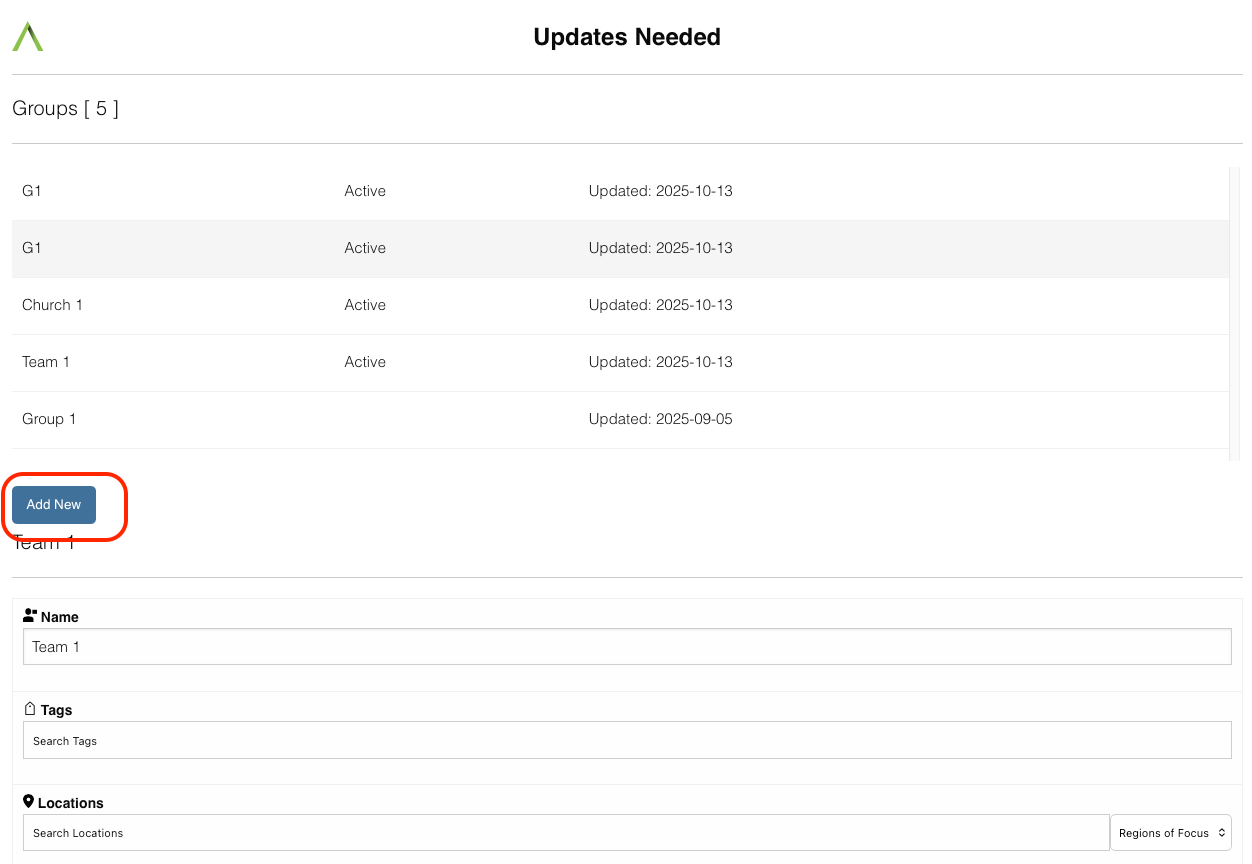
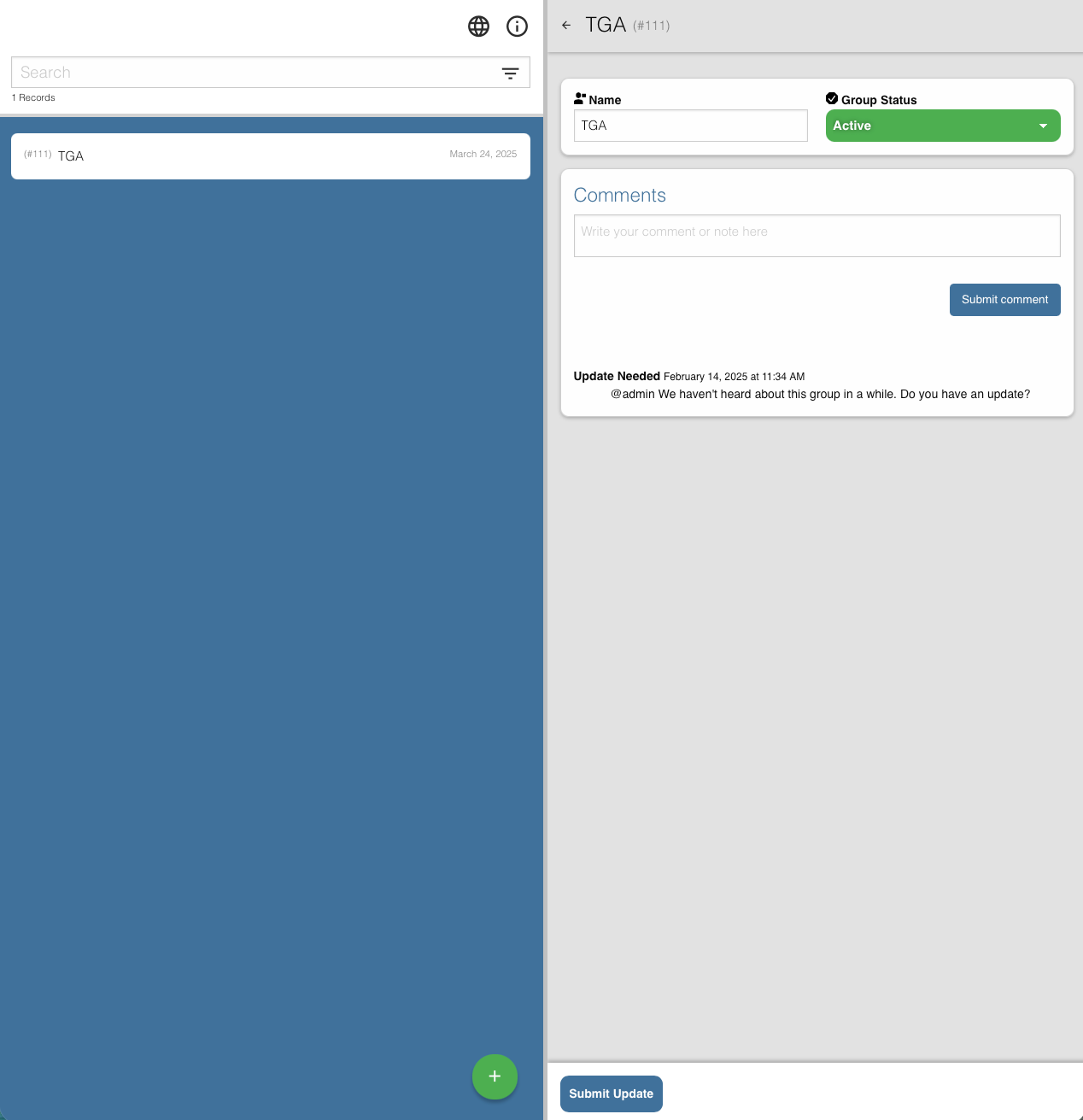
The coalition users will then be able to update any assigned groups; as well as creating new ones, from their respective Magic Links.
I hope this helps!

-
@gaboayala - Following on from my previous response, you may find it worthwhile, to explore
Post ConnectionsTemplate Types; which may be better suited for providing Magic Links to Post Contacts, who do not have user system accounts.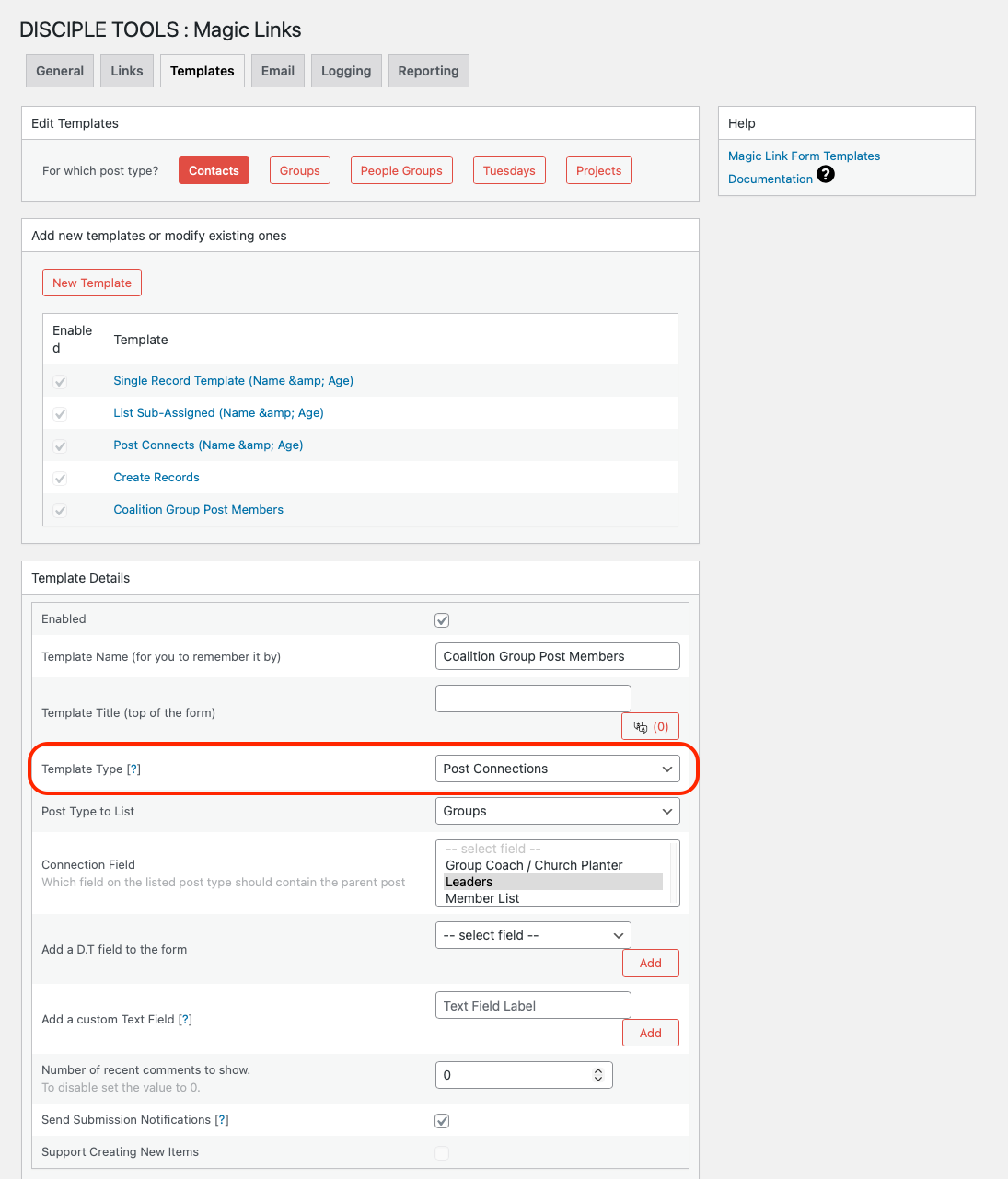
Once the
Post Connectionstemplate has been created, it can then be referenced from within aLink Object.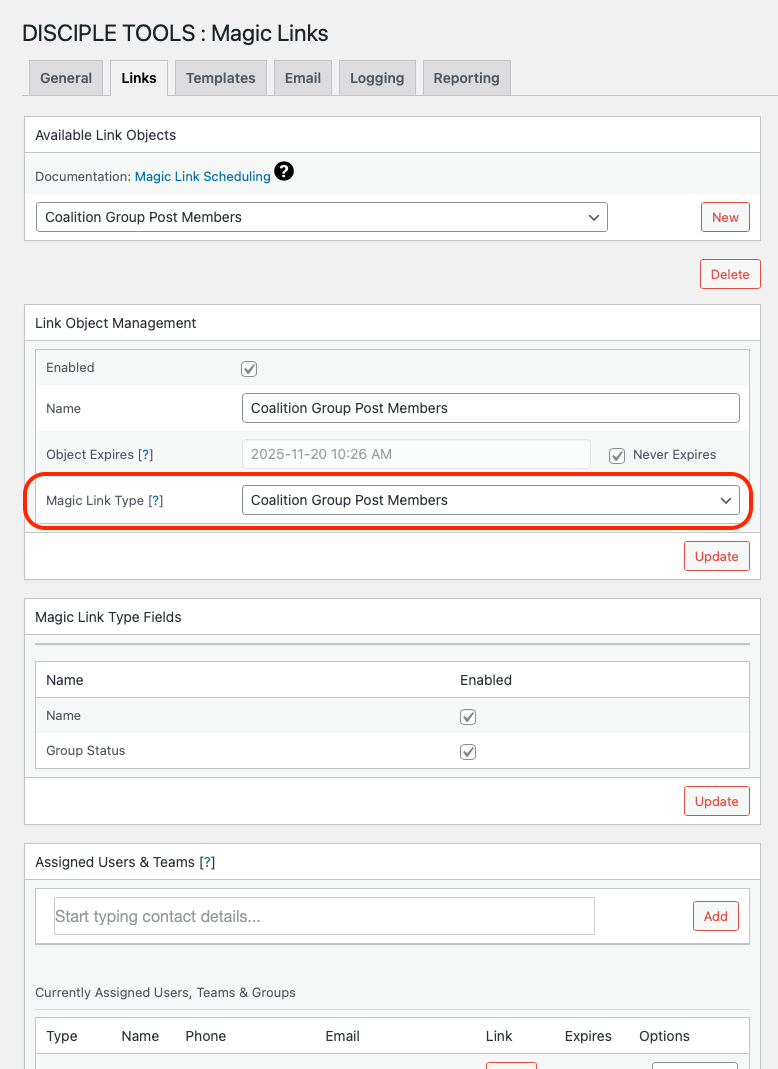
Post Contacts can then access the Magic Link and update existing groups, or create new ones as required.
-
@kodinkat thank you for the info. It does help.
Maybe, I will create a user for each region of the country so that way people can update what’s happening around them, and it’s easier to navigate. -
@kodinkat, here is another idea, not sure if possible, but looking at some other plugins, maybe an integration of a couple could help?
Is it possible to create an "app" where people can click a button linked to a Magic Link? For example, if I could add a magic link for each region, people can go to the Porch, and find there the button with each magic link that leads them to add or update groups to their region.Is it possible to also show the metric map of groups in the porch area? So they can visualize where there are groups?
My apologies for turning this into a brainstorming session.
-
@gaboayala no worries at all and assuming I'm tracking on the first question, you could make use of the Home Screen plugin; which would enable you to setup different magic link apps; which users could use to navigate to their respective Group Management views.
It's also worth mentioning that we are currently in the process of migrating the Home Screen plugin functionality into the core D.T theme.
Regarding your 2nd question, I'm not aware of the ability to visualise metric maps within magic link apps. Maybe @corsac could shed some more light on this - Sounds like a cool feature to include.
Hope this helps with moving things along...
-
@kodinkat Yes, that would be the idea. I´m trying to figure out the steps here (there would be more like in a question mode):
- Create a Magic Link to the HomeApp. This should not be related to any user, so anyone can access the home page of the app. (Could I change or adjust this link to be easy to remember? For example, mydomain.com/appreport?
- Create a user for each region (17 in total).
- Create a Magic Link for each region so they can report or add groups.
- Create an App for each magic link created for each region.
Thanks Kodinkat, for the help and follow on this outloud processing.
-
Ok, I went ahead and try it for my user:
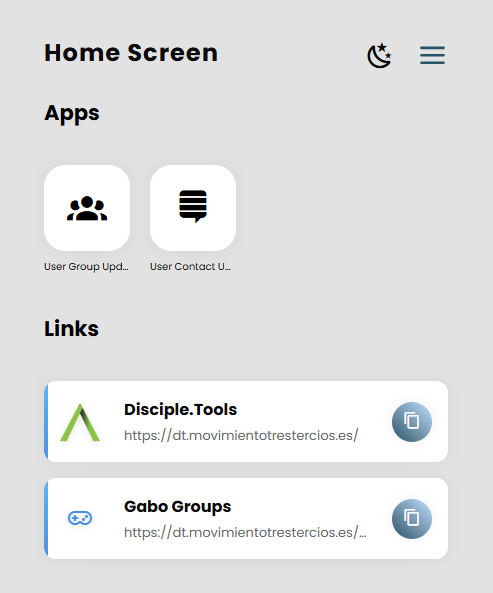
Quick question, what setting did I miss for it no to show as an but instead used a link? It´s because of the type of the magic link?
Sorry for so many questions.
-
@gaboayala hey! You should be able to switch between link and app modes, when you edit the app in the admin section. Ensure to select the required type.
However, I do believe Magic Links always default to Apps.
Also, from your previous set of questions - (1) The actual url cannot be changed; but you can specify custom page titles.
Hello! It looks like you're interested in this conversation, but you don't have an account yet.
Getting fed up of having to scroll through the same posts each visit? When you register for an account, you'll always come back to exactly where you were before, and choose to be notified of new replies (either via email, or push notification). You'll also be able to save bookmarks and upvote posts to show your appreciation to other community members.
With your input, this post could be even better 💗
Register Login