How to Delete “Health Metrics” in Groups
-
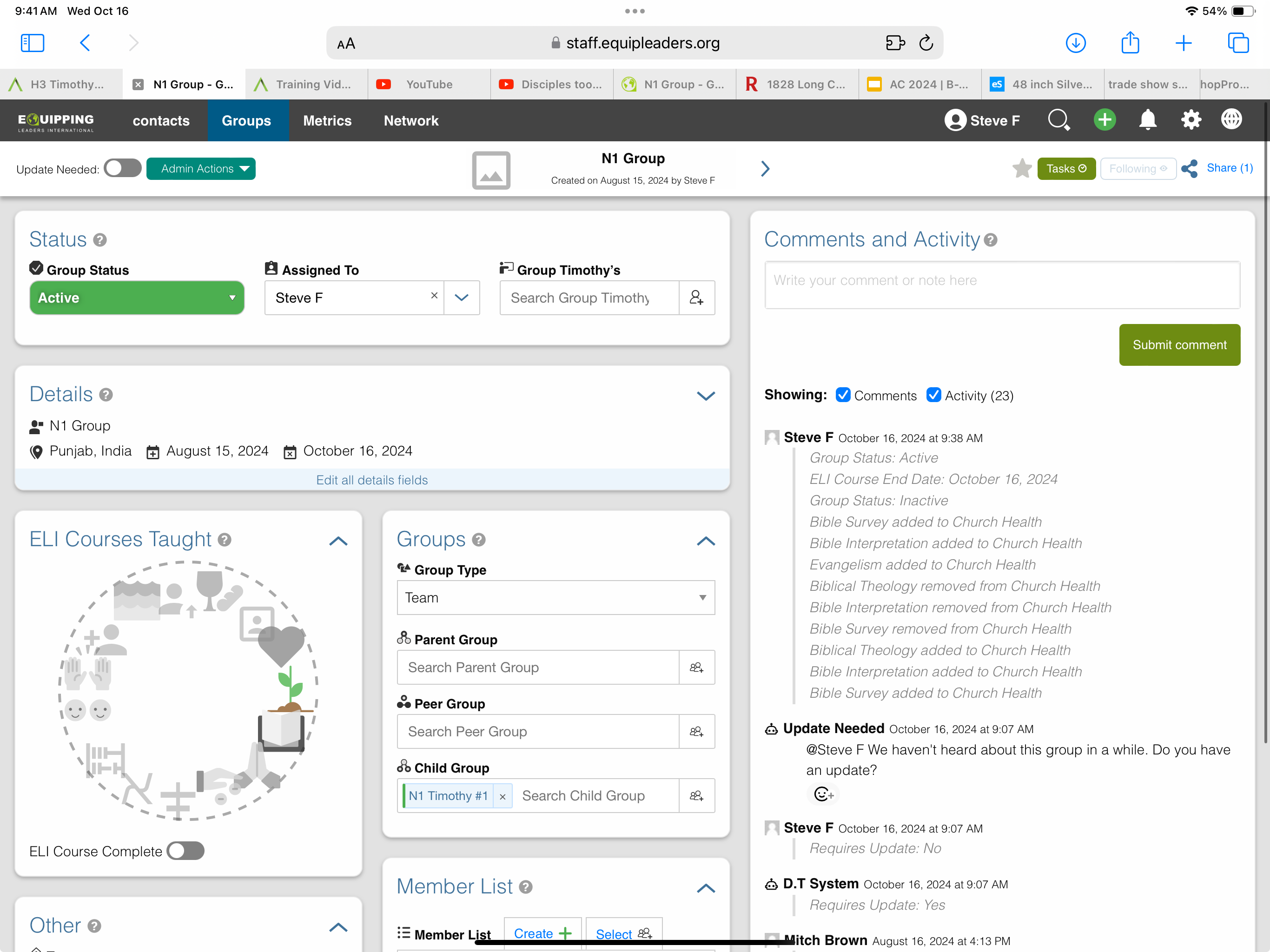
We are using the software to keep up with our own trainings.
I have added custom descriptions and more options in the multi select fields in Health Metrics (renamed ELI Courses Taught).
It is a graphic box where you can select an area from the icons where the area is complete.!
When a new item is selected it will not remain selected. It immediately shows removed. (You can see in the comments) It appears to only be connected to the new fields added in the menu.
I would like to just delete this field but it feels like there is legacy parts that are not easily edited or deleted.
Hello! It looks like you're interested in this conversation, but you don't have an account yet.
Getting fed up of having to scroll through the same posts each visit? When you register for an account, you'll always come back to exactly where you were before, and choose to be notified of new replies (either via email, or push notification). You'll also be able to save bookmarks and upvote posts to show your appreciation to other community members.
With your input, this post could be even better 💗
Register Login